
Taking Notes
The Notes room
The Notes room is where you can quickly write down comments, calculations, and observations on different issues. You can share your own notes with other people and read notes that others are sharing with you. Both your own and shared notes are saved for later reference and updates. Below is an example view of the Notes room. To the left there are two tabs: one for your own notes, and one for shared notes. On the right, you have the selected note text.
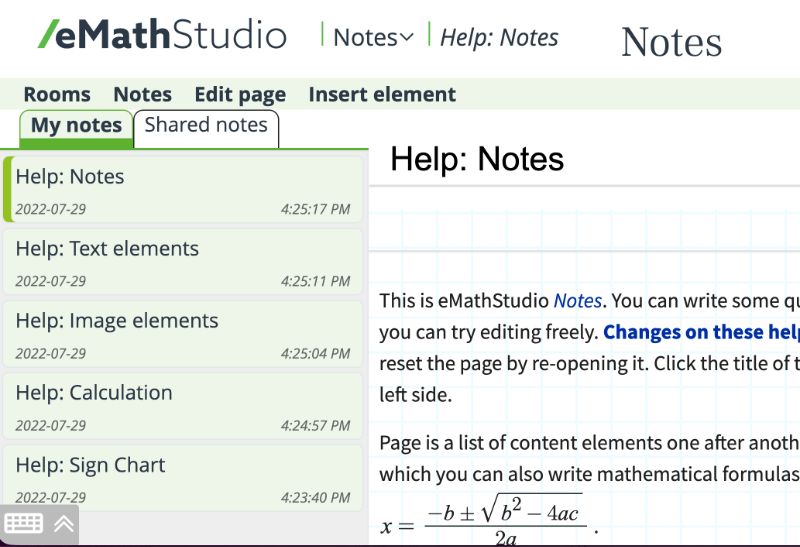
A note can contain text, images, videos, mathematical derivations, embedded web content, program code, etc. The menu shows you what you can do with your notes: create a new note, share a note with others (who do not need to be eMathStudio users), save a note on your own computer, print a note, and so on.
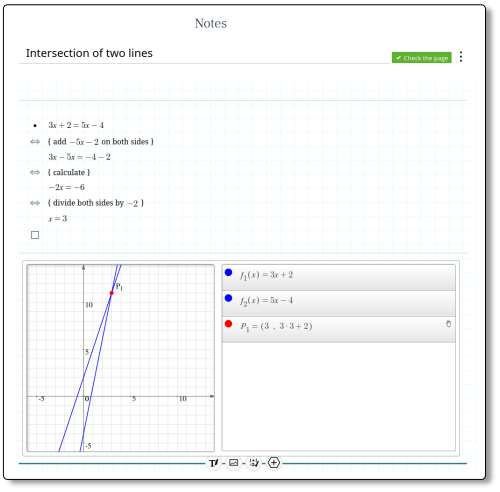
Here is an example of a note that contain text, a derivation, and a function graph.
Notebooks
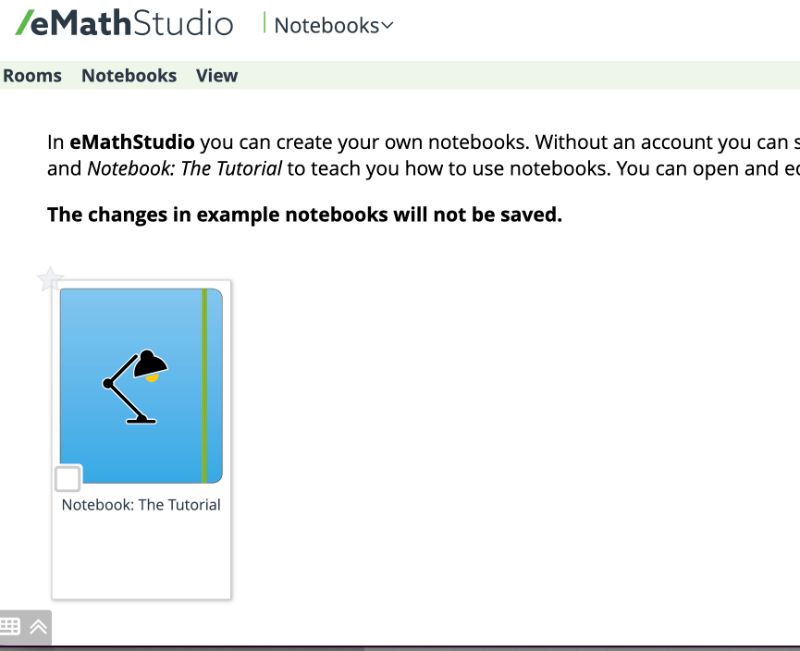
When you want to get organised and gather your notes into different notebooks, it is time to create your own notebooks. Notebooks can be shared with others. A notebook is also a good way to create your own course book for a course, or a draft for a paper. Below is a snapshot of the Notebook room. It shows the notebooks that you have created. Clicking on any of these will open the notebook for reading and editing. The figure shows here only the sample notebook that you can train with, to get familiar with notebooks.
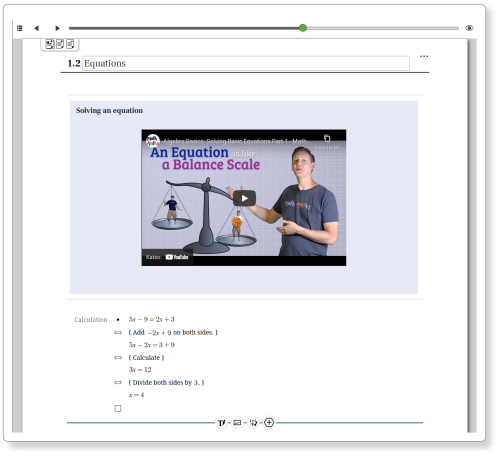
Here is an example page from a notebook.
Notes subscription package
The Notes subscription package includes
- full use of the Notes room (includes also sharing notes with others)
- full use of the Notebooks room, and
- a subscription for 3, 6 or 12 months.
Your Notes and Notebooks are saved even after your subscription ends, and they can be accessed without a subscription.
Check out the video on how to use notes and notebooks.
Buy the Notes package in the webshop.