

Teaching mathematics is based on a long tradition. It was formed at a time when there were very few mathematicians and very few who wanted to study mathematics. Teaching was an apprenticeship, the student working together with the teacher and learning the craft on the go. This model is still used in postgraduate training in universities, but the advent of mass education has made this model much too expensive.
Math is now taught in classroom, with the teacher giving lectures and the students solving assignments for training. The direct feedback loop between teacher and student, which existed in the apprenticeship model, has been broken. Students do not usually get personal feedback on their own work, except in exams, and then it is usually too late.
Teachers don’t give personal feedback for an assignment for a very simple reason: it would take too much time and effort. The teachers’ time is very limited and they are hard pressed already. Instead, the students are shown a model solution for the problem. The students are expected to compare this to their own solution to see what they got wrong when their solution differs from the model solution.
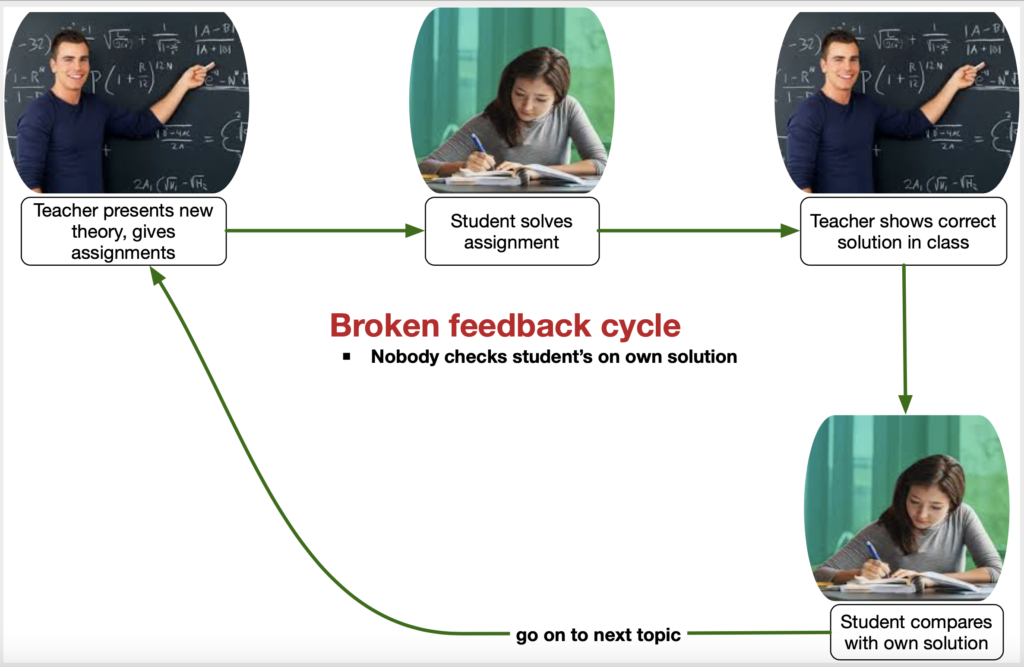
But the students are not that motivated to go through their solution later on and compare it to the model solution. Or they have not understood the difference between the model solution and their own solution. The students have not fully understood whats wrong with their own solutions of the assignments for a specific topic. The teacher, however, is pressed for time, and continues with new topics, without regard for whether the students have understood the previous topic or not.
For some students, this is still a good method of teaching, they are motivated and work on their solutions until they get the idea. These students go on to become good at mathematics. But the students that less strongly motivated students may not see what errors they made, and will continue to make the same errors in subsequent topics. The errors and lack of understanding accumulate until math becomes too difficult for them, and they give up.
Personal tutors in Teaching
The problem is often solved by having a personal tutor that gives the personal feedback that the student needs
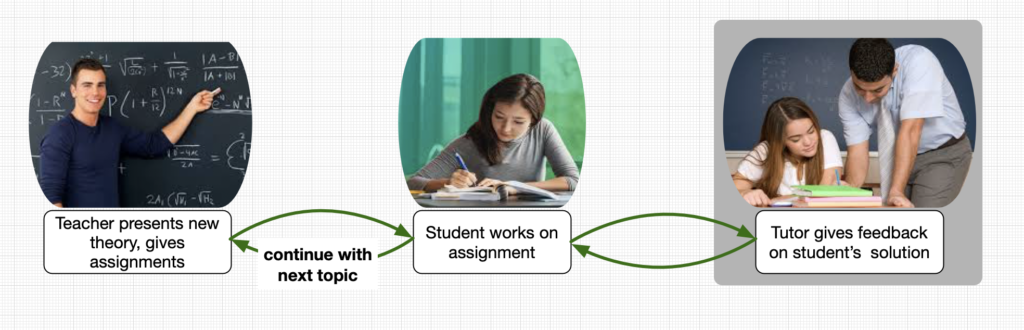
However, a personal tutor is expensive, and not everybody can afford it. And it also signals a failure of the standard system for math education. It places students in unequal positions, based on their social background.
Let the computer check the student’s solution
We can fix the problem by using a computer to check the student’s solution. The computer has to go through the student’s own solution, analyse it to see whether it is mathematically correct, and point out the places where there is an error. It is not sufficient that the computer just shows a model solution, then we are back in the same situation as before. It is also not sufficient that the computer steers the student to recreate a model solution step by step, this will not lead to a proper understanding of the problem and its solution. Also, only showing the correct answer to an assignment is not sufficient. It is helpful, but it can still be difficult for the student to see what went wrong.
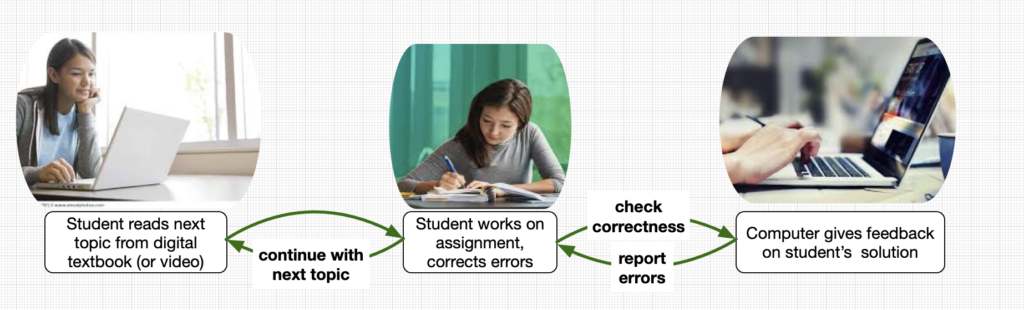
The figure below shows the situation where the feedback loop has been fixed with a computer.
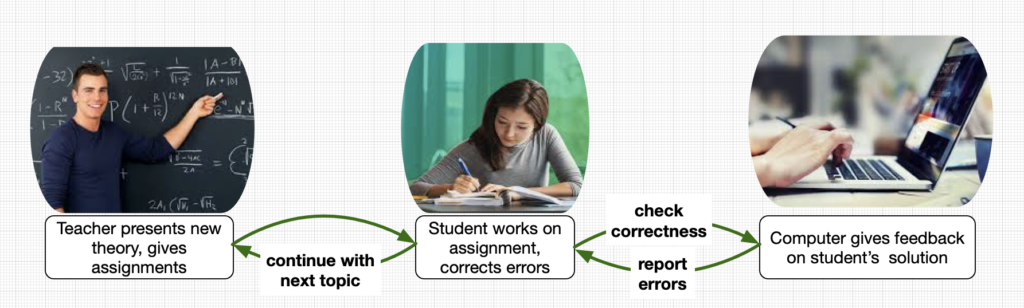
The eMath Checker works in this way. It goes through the student’s solution step by step. For each step, it tries to prove that the step is mathematically correct, using advanced automatic theorem provers and CAS systems. The derivation step is marked correct if the checker finds a proof for the step. Otherwise, the step is marked with a warning. In most cases, a warning means that the step is wrong. The warning might also be given if the step is too difficult for the prover, or there is missing information. The checker has a limited time to prove each step, and in some cases would have needed more time to find a proof. The missing information can again be something that the student knows but has not told the checker, like some assumptions that can be made, or some mathematical theorem that can be used.
The main advantage of the automatic checker is that the student gets feedback on his/her own solution. And that the feedback is given when the student needs it most, when working on the solution, and not sometimes later on, when the interest for the solution already has faded. The feedback is two-fold. On one hand, the checker shows which steps are correct, and thus reinforces the students learning. On the other hand, the checker shows the steps that are most likely wrong. Learning happens when the student tries to understand the warnings and fix the errors in the solution. For this, the student has to go back to theory to see which rules should be used and how to apply them correctly. Simple calculation errors and typos are particularly easy to spot. Correcting these makes it easier for the student to arrive at the right answer.
Role of teacher / tutor
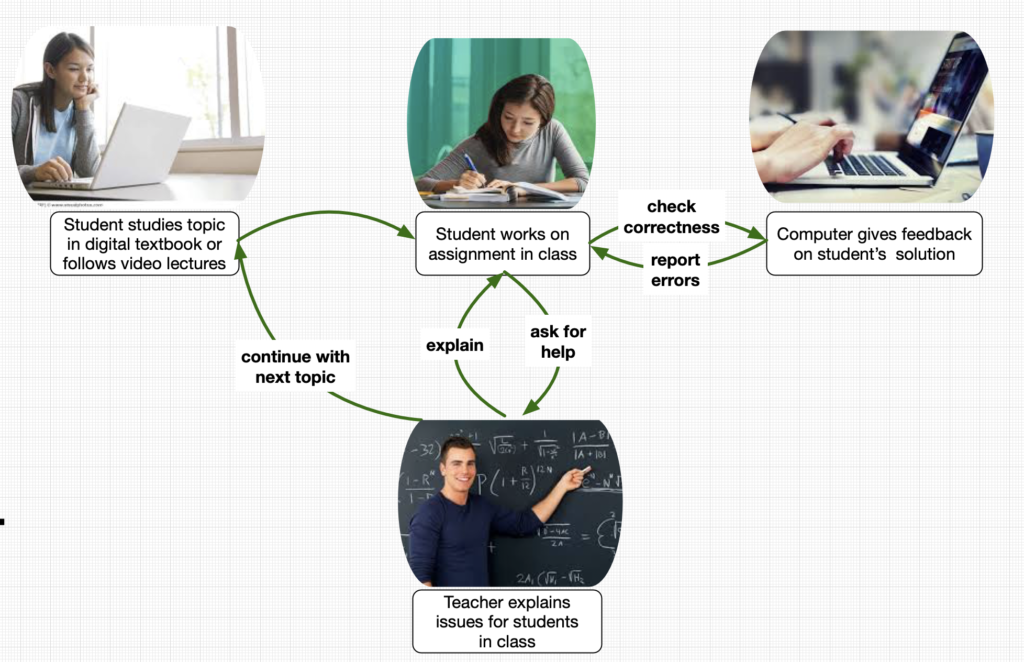
The teacher/tutor still has an important role to play in this setup. The student may encounter difficulties where the checker cannot help. The student may not know how to tackle the problem, or there are steps in the solution that the student just does not see how to correct. In these cases, there is a need for a human explaining the problem and showing how to tackle it. Hence, we actually need two feedback loops: one where the student checks the solution with the computer, and another one where the student asks for help from the teacher.
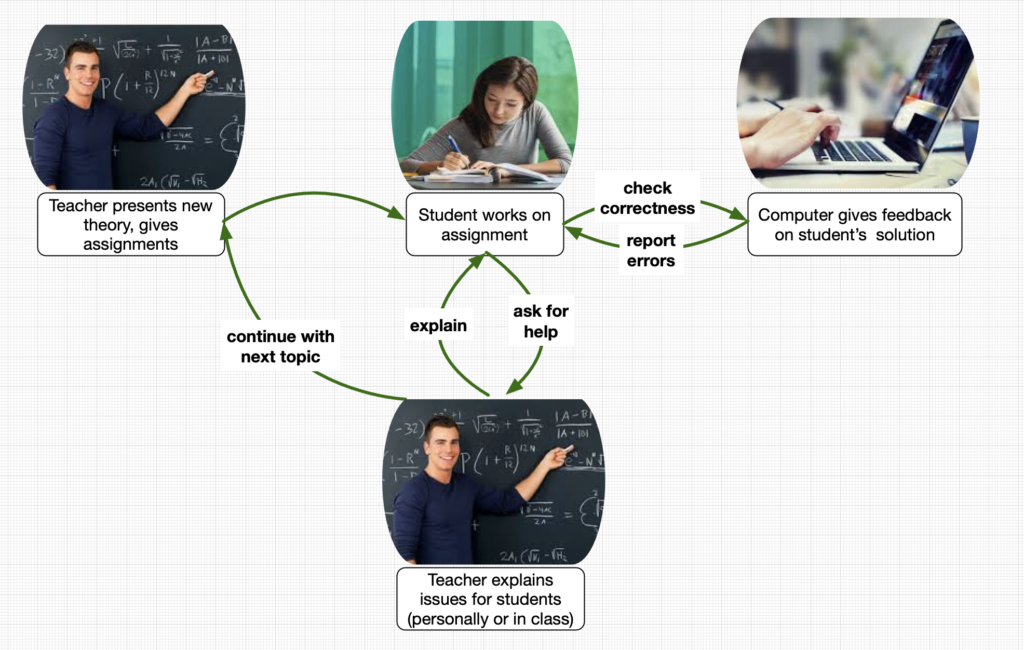
The teacher’s (or a tutor’s) role is now to give personal feedback to students. But there is an important difference to the standard classroom setting. The computer has helped the student with most of their problems. The issues that remain are the ones that show real lack of understanding, and were the teacher/tutor is really needed. The teacher gets a better overview of what the students understand, without having to go through each student all solutions one-by-one. Moreover, the students usually have similar problems, so the teacher can address the same problems for many students at the same time.
Efficent self-studies
The use of automatic checking will also make self-studies more efficient. Here the teacher role is also taken over by the computer, who feeds the student with video lectures on new topics and assignments to solve for training. The computer will check the student’s solutions, and give feedback on the solution.
Flipped classroom
Finally, automatic checking works very well also in flipped classrooms. Flipped classrooms combine the two figures above, so that the computer does the lecturing on new topics, and the teacher helps the student solve assignments during class. This is a much more efficient use of teachers than what is now done. The teacher’s lectures can easily be provided as videos that the student can study at own time, as home assignments. But the personal feedback that the teacher can give a student, to help the student understand the issues involved in the topics being taught, is invaluable. Computers cannot provide this level of help and motivation today.
eMath Studio
The eMath Studio learning environment supports this double feedback loop. Students taking a course in this environment use the eMath Checker to automatically check their solutions and give feedback on possible errors. The student works on a solution until it is accepted as correct by the checker, or until the student gives up on finding a correct solution. In the latter case, the student can submit the solution as it stands to the teacher, with a click on a button. The teacher looks at the student’s solution attempt and gives direct personal feedback to the student. Or, the teacher can add the feedback to the course book, to show how to handle the problem for all students at the same time.
Using automatic checking will in most cases quite drastically reduce the actual number of student solutions that the teacher has to go trough, meaning that individual personal feedback again becomes possible for math students.
You can try out the eMath Studio environment for free, to see whether this works for you own way of teaching. Click on the button below to open the eMathStudio web app. You can then create your own solutions to math problems in the Notes room. The Tutorials room shows you how to use the editor and automatic checks in eMathStudio.